
What is the App Marketplace?
The ResDiary App Marketplace is a dynamic hub where restaurants can discover, install, and manage integrations directly from their diary.
The App Marketplace can be found via Settings > Diary Configuration > App Marketplace.
Who can access the App Marketplace?
By default, the App Marketplace is accessible to users with 'Manager' level permissions.
If a user cannot access the App Marketplace, their permissions can be updated by navigating to:
Settings > User Management > Users > Setup > Menu Items
How to Install an integration via the App Marketplace
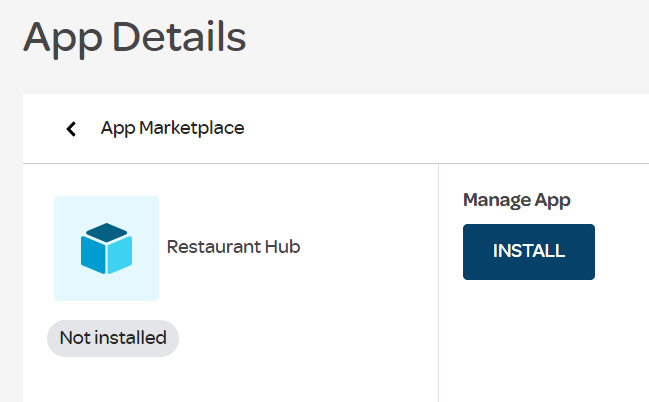
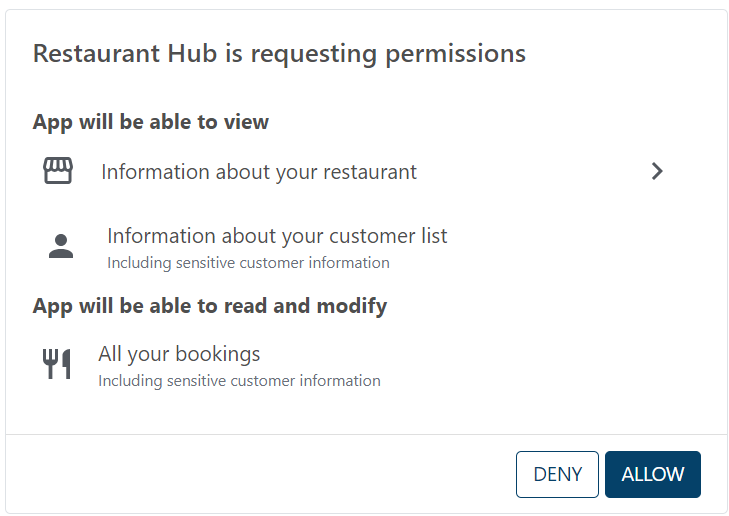
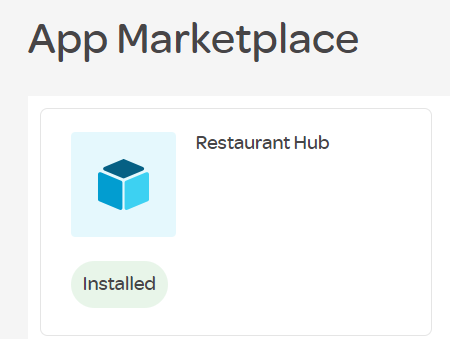
Hub integrations are installed via the App Marketplace and requires no intervention by the support team to set up API access. The follow steps are complete by the diary user:

What is the process for un-installing an App?
Repeat the process above, selecting 'Uninstall' this time. This will revoke the apps access to the diary.