
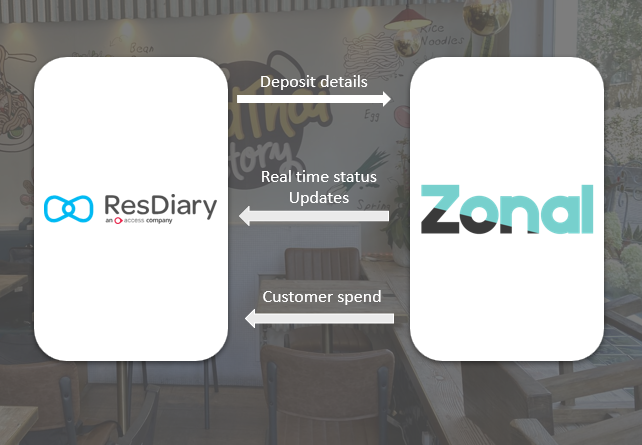
ResDiary × Zonal brings your reservations and EPOS together in one seamless workflow.
Deposit details captured in ResDiary are sent to Zonal ahead of the guest's visit, ready to be applied to their check on the day. Once seated, meal status updates, spend and order details flow back into ResDiary in real time giving operators a live view of every table without leaving the diary.
Benefits of the Integration
- No Manual Input: Deposit details captured in ResDiary are sent to Zonal automatically - no need for staff to re-enter information on Zonal.
- Seamless Check Linking: Seating a booking in ResDiary automatically opens a check in Zonal and links it to the booking, keeping both systems in sync without any manual steps.
- Live Table Overview: Meal status and spend update in real time, giving front-of-house a complete picture of every seated table directly from the diary.
- Richer Guest Profiles: Spend and order details are saved against the booking and customer profile in ResDiary, enabling more personalised service on future visits.
- Enhanced Reporting: Combine booking and spend data to better understand cover performance, peak periods, and your highest-value guests.
The Zonal × ResDiary integration is available in two configurations
| Option 1: Deposit Integration | Option 2: Full Integration |
Sends booking deposit details from ResDiary to Zonal in real time, so they are ready to be applied to checks at the POS.
| Includes everything in the Deposit Integration, plus a two-way in-service integration.
|
Using the ResDiary - Zonal integration
Deposits
When a deposit is taken against a booking in ResDiary, the booking details are automatically sent to Zonal in real-time, ready to be applied to the customer's check including
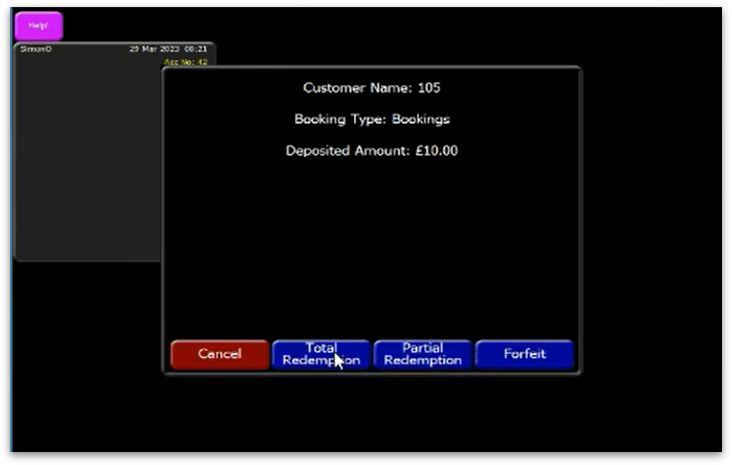
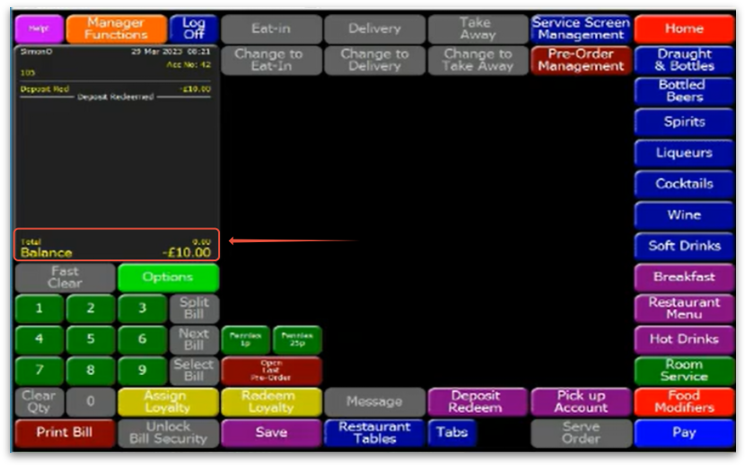
| On the day of the visit, staff locate the booking in Zonal using the Deposit Redeem function, select the booking, and choose to redeem the deposit. The deposited amount is then deducted from the check balance, |
 |  |
Rules for how deposit data flows from ResDiary to Zonal:
- Booking Reference Format: Deposits are sent with the reference {BookingRef}/T{TableNumber} (e.g. BTEST001/T5).
- Duplicate Prevention: Before creating a new record in Zonal, the integration searches for an existing booking to avoid duplicates.
- Topping Up a Deposit: If an existing booking pays an additional deposit ResDiary updates the existing booking in Zonal
- Deposit-Only Mode: Bookings without a deposit are not sent to Zonal. A booking will only appear in Zonal once a deposit is taken.
- Reducing or Removing a Deposit: Deposit amounts in Zonal cannot be reduced or deleted via ResDiary. Any amendments must be made directly in Zonal.
Seating Tables & Check Matching
From ResDiary to Zonal | From Zonal to ResDiary |
|
|
Meal Status Updates
Create seamless experience in the restaurant and pass up to date status’ for each table throughout the visit:
The integration also offers real-time information on customer spending and ordered items, providing the front-of-house team a comprehensive overview of all seated tables. For meal status updates to be correctly reflected, it relies on menu items being categorised appropriately. The meal status is updated based on the category of the items ordered eg. Drinks, Starter, Main, Dessert | 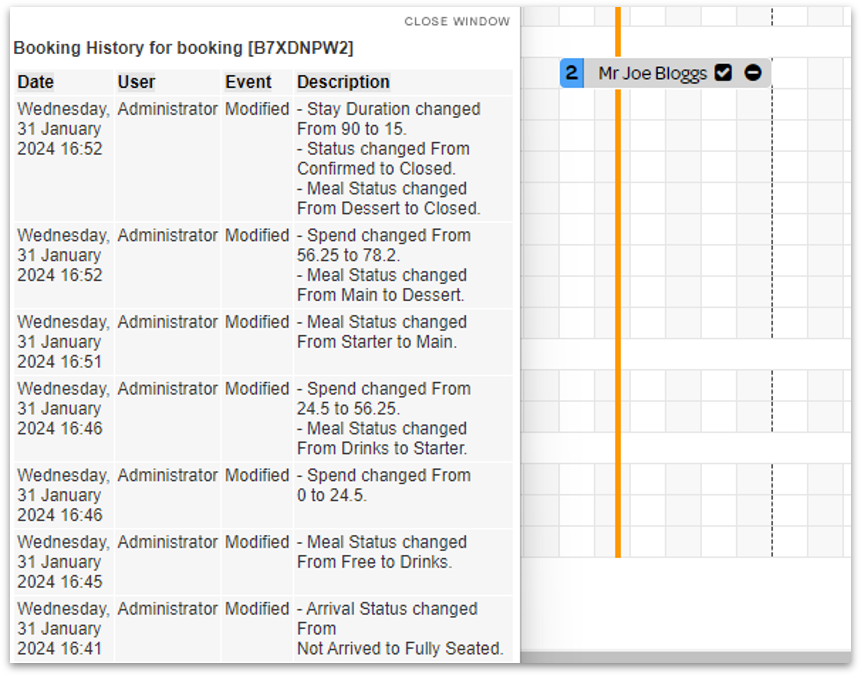 |
Closing a check
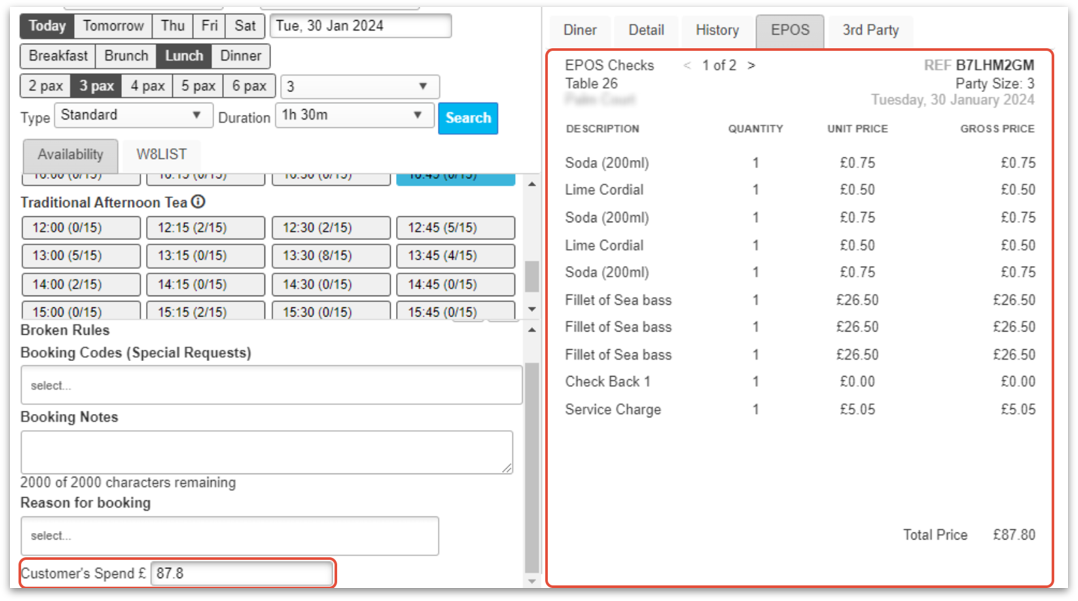
When a table has paid, the booking in ResDiary will be updated;
|   |